
Event Tracking, Enrichment, and Scoring: A Modern Data Stack Explained
Unify event tracking, enrichment, and intent scoring to identify high-value B2B leads, enrich profiles, and act in real time.
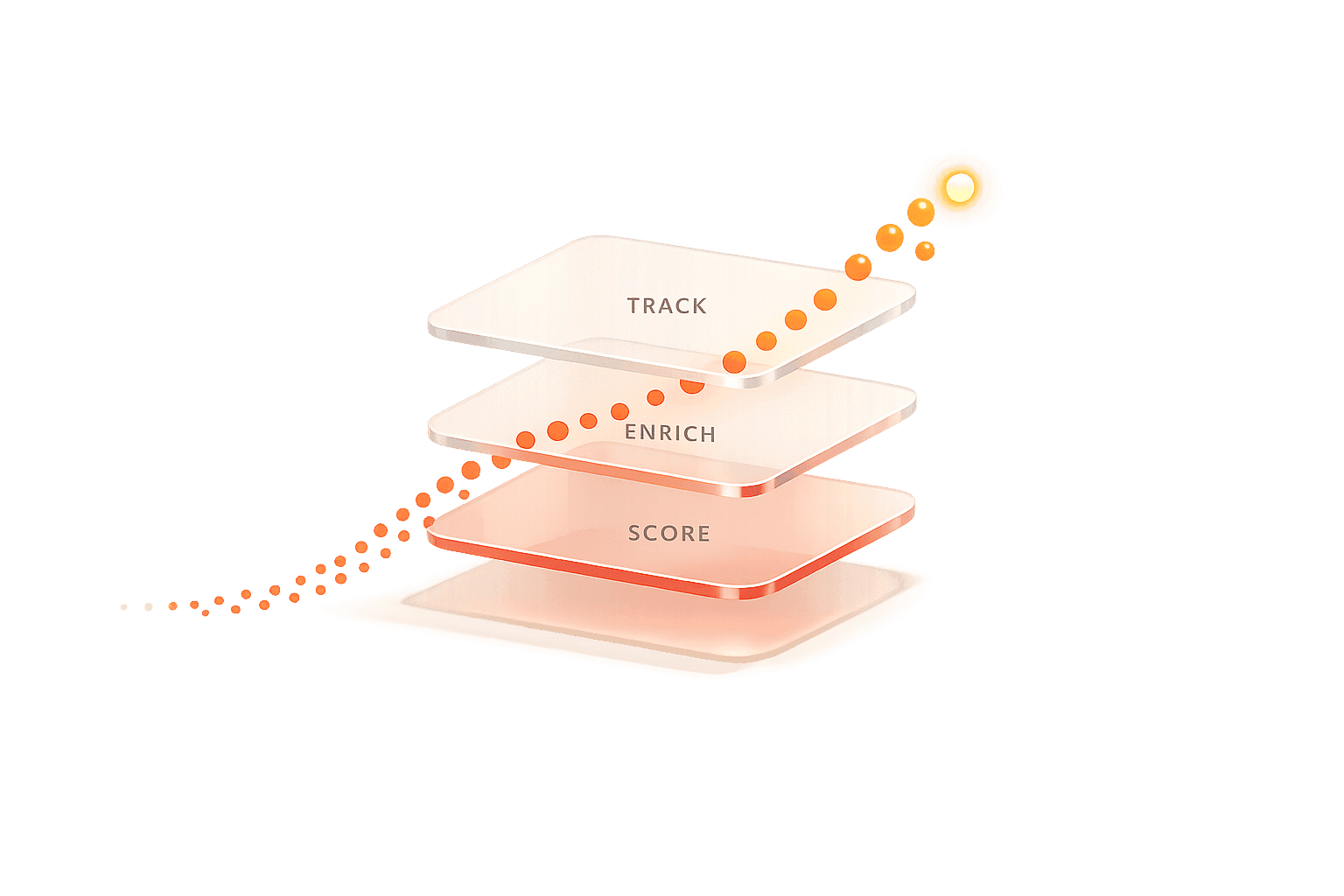
Managing leads effectively is a challenge for B2B companies. Here’s why: Most teams juggle over 12 tools, spend $50,000+ annually, and deal with data decaying at 30% per year. This complexity slows down workflows and leads to missed opportunities.
Solution? A modern data stack. It unifies event tracking, data enrichment, and lead scoring into a single system. This approach allows companies to identify high-intent leads through targeting, enrich their profiles, and act on them in real time - cutting sales cycles by 18% and boosting conversion rates when follow-ups happen within the first hour.
Key takeaways:
Event Tracking: Monitor user actions like page views and form submissions to understand behavior.
Data Enrichment: Turn anonymous visitors into detailed profiles with firmographic and technographic data.
Lead Scoring: Prioritize leads based on intent signals, ensuring sales teams focus on the most promising prospects.
LeadBoxer simplifies this process. It integrates tracking, enrichment, and scoring into one API, helping teams reduce tool sprawl, identify leads faster, and improve revenue outcomes. Want to act on data immediately? This is how you do it.
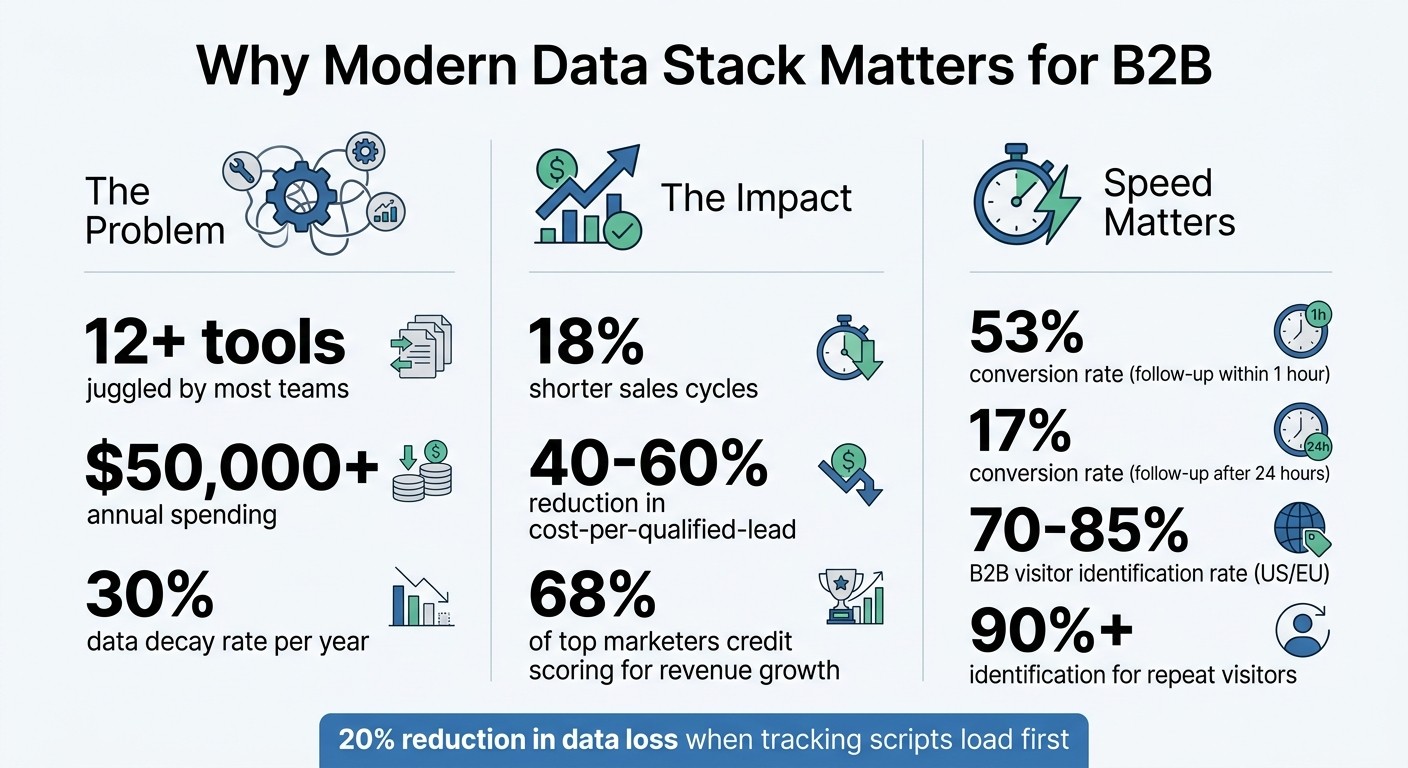
Modern Data Stack Impact: Key Statistics for B2B Lead Management
Modern Data Stack 101: Tools, Trends & Architecture Explained | Data Engineering Series
Core Components of a Modern Data Stack
This section breaks down the three essential layers: event tracking to monitor visitor behavior, enrichment to uncover visitor identities, and scoring to highlight the most valuable leads. Each layer works together, turning raw data into actionable insights.
Event Tracking for Behavioral Data
Event tracking focuses on capturing key interactions like page views, form submissions, pricing page visits, email opens, and clicks. LeadBoxer organizes this data into four main categories: Events (specific actions), Sessions (browsing periods), Users (individual leads), and Properties (contextual data in name/value pairs). This structure not only tracks individual actions but also shows how they connect over time.
To gather this data, tools like JavaScript tracking, tracking pixels, and server-side APIs are used. Among these, server-side tracking has become the go-to method. Why? It bypasses ad blockers, avoids browser limitations, and ensures reliable identity stitching. Additionally, any property tied to an event - like UTM parameters or form field data - automatically flows into the session and user profile, enriching the context with every interaction.
Once this behavioral data is captured, the next step is to enrich it, making it more actionable.
Data Enrichment with LeadBoxer APIs
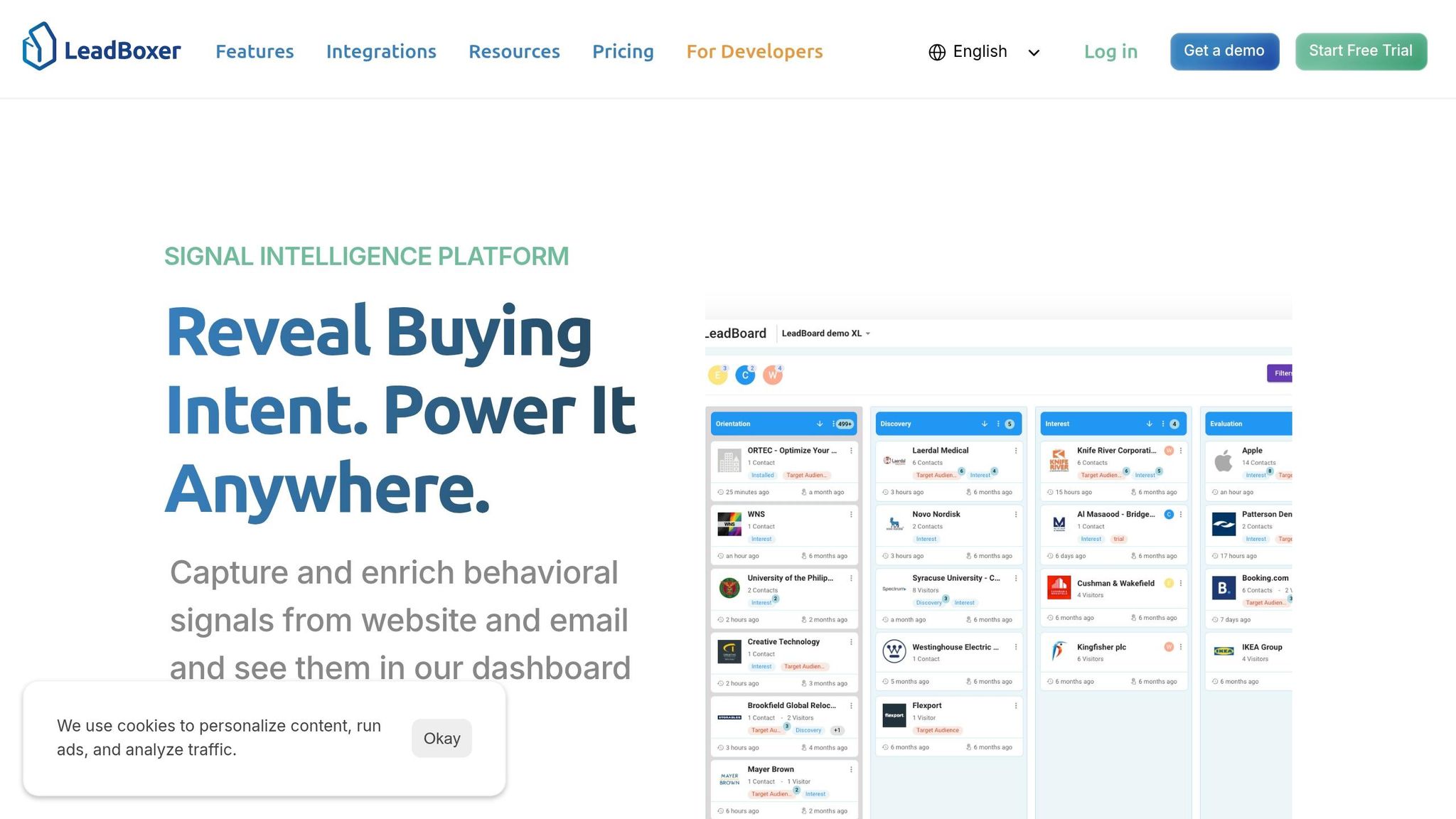
While raw event data answers what happened, enrichment uncovers who was involved. LeadBoxer's Lookup APIs take anonymous data - like IP addresses or email domains - and turn it into detailed attributes, such as industry, company size, revenue, and location. This transforms a collection of anonymous interactions into a clear picture of which companies are engaging with your site and how they align with your ideal customer profile.
Enrichment doesn’t stop there. It also includes technographic data, which provides insights into the software and tools a prospect is currently using. This can be a game-changer for sales strategies. For instance, knowing a company uses a specific CRM or marketing platform allows you to tailor your outreach to show how your product complements their existing setup. Technographics often serve as stronger buying signals than basic firmographics because they indicate active interest or intent.
With this enriched data in hand, the next step is intent scoring to prioritize the most promising leads.
Intent Scoring for Lead Prioritization
Intent scoring helps rank leads based on three key factors: firmographics (who they are), technographics (the tools they use), and behavioral signals (their current actions). For example, a visitor from a Fortune 500 company who views your pricing page multiple times in one session would rank higher than someone from a small business who only reads a blog post. This scoring system ensures that sales teams focus their efforts on leads that show genuine interest, rather than wasting time on less engaged prospects.
Step-by-Step Guide to Implementing Event Tracking
This guide walks you through setting up event tracking to transform raw data into actionable insights, leveraging the modern data stack's core components.
Deploying Tracking Scripts
Setting up LeadBoxer's tracking script is quick and straightforward. Start by grabbing your unique tracking ID from the LeadBoxer dashboard. Then, paste the following asynchronous JavaScript snippet into the <head> section of your website's HTML:
The async attribute ensures the script loads without slowing down your page. To verify the setup, use lb('debug', true) in your browser's console.
For single-page applications (SPAs) using frameworks like React or Vue, you'll need to manually trigger page view events whenever routes change. Call lb('pageview') on each navigation to ensure accurate tracking. It's also a good idea to place the LeadBoxer script before other analytics tools like Google Analytics. This sequencing can reduce data loss by up to 20% on high-traffic sites, as it captures early events more reliably.
If you're handling GDPR or CCPA compliance, you can configure consent modes directly in the LeadBoxer dashboard to ensure you're only tracking users who've given their consent. Once the script is live, you're ready to start capturing user interactions.
Capturing Website and Email Interactions
Focus on tracking actions that indicate high interest, such as visits to your pricing page, demo requests, form submissions, or scroll depth on key pages. Use the lb() API to programmatically track custom events. Here's an example:
In this case, the event logs a pricing form submission and includes details like the form ID and value. These properties are automatically tied to the user's session and profile, providing a more detailed view of their behavior over time.
For email tracking, embed a 1x1 pixel in your emails to log opens. Here's how that looks:
You can integrate this with email platforms like Mailchimp using webhooks or tools like Zapier. For example, a SaaS company that tracked "Demo Request" clicks alongside email opens saw a 35% increase in lead conversion. They identified prospects who opened an email and visited the pricing page shortly after, demonstrating clear interest. Combining website and email behavior tracking sets the stage for resolving anonymous traffic.
Resolving Anonymous Traffic
LeadBoxer uses techniques like reverse IP lookup, browser fingerprinting, and cross-session cookie matching to identify anonymous visitors. Each visit captures an IP address, which is then matched against a database of 250 million companies. Within seconds, firmographic details - such as company name, industry, size, and revenue - appear in your dashboard.
For B2B traffic, LeadBoxer benchmarks show an identification success rate of 70% to 85% for US and EU visitors, climbing to over 90% for repeat visitors. Individual profiles are enriched when users fill out forms or when their behavior aligns with LinkedIn data. One SaaS company managed to resolve 82% of anonymous visits, identifying over 500 companies per month, including Fortune 500 prospects they hadn't realized were browsing their site.
To enhance accuracy, adjust the "Company Confidence Score" setting to a threshold above 80%. This filters out weaker matches and can improve scoring precision by 40%. For critical actions, like user registrations or trial sign-ups, consider using server-side tracking with LeadBoxer's Track API (https://log.leadboxer.com). This bypasses ad blockers that may interfere with client-side scripts. Send a POST request with required fields like si (dataset ID), uid (user ID), and ip (for geographic mapping). This ensures your event tracking captures the most accurate data possible, laying the groundwork for intent scoring and data enrichment.
How to Optimize Data Enrichment and Scoring
Turn raw behavioral data into actionable insights by combining data enrichment and scoring. Enrichment adds context, like company size, industry, or job titles, while scoring helps prioritize leads deserving immediate attention. Together, they help you focus on meaningful signals instead of sifting through noise.
Enrichment Strategies for Firmographic and Contact Data
Start by automatically matching IPs and email domains to enrich profiles with firmographic and technographic details. When a visitor lands on your site, the system can enrich their profile with information such as:
Company name
Industry
Employee count
Estimated revenue
Location
Technographics
For known contacts, the enrichment process can add demographic data like job titles, seniority levels, departments, and professional contact details. You can trigger deeper enrichment through actions like form submissions, email interactions, or custom API calls.
For instance, if you're targeting a specific industry - like publishing - you might use the Match scoring method to assign extra points when the "Industry" field matches "Publishing." This ensures your enrichment aligns with your ideal customer profile (ICP), helping you prioritize leads that fit your target market.
Once you've enriched your data, you can fine-tune your scoring models to highlight high-potential leads.
Building Intent-Based Scoring Models
Effective lead scoring combines ICP alignment, behavioral intent, and engagement quality. Assign higher points to actions that indicate strong intent. For example, multiple visits to a pricing page should carry more weight than a single click on a marketing email. Use these scoring methods to turn enriched data into prioritized leads:
LeadBoxer API Scoring Method | Description | Example |
|---|---|---|
Range | Assigns points based on numerical thresholds | 25–100 pageviews = 7 points |
Match | Scores based on exact attribute matches | Country = "US" = 9 points |
Exist | Awards points for data availability | Organization Phone exists = 10 points |
Boost | Adds points for high-value events | Visiting "/contact" URL = 7 points |
Negative scoring is just as important. Deduct points for actions like email bounces, unsubscribes, or ignoring multiple emails. For example, in 2025, Belkins implemented a weighted scoring system in HubSpot. They added +10 points for pricing page views but deducted -25 points for email bounces. This approach led to SDRs following up 3x faster and improved demo-to-close ratios by 21%.
"High lead scores confirm alignment with our ICP, tech stack, job title, and intent signals. But when high scorers don't convert, we use that data to audit and refine our criteria." – Julia Sorokovikova, Head of Revenue Operations, Belkins
To keep your scoring model effective, review it monthly with your sales team. Adjust thresholds based on actual conversion data to ensure your model reflects real-world outcomes instead of vanity metrics.
Integrating Enrichment and Scoring into Workflows
Once leads are scored, put the insights to work by integrating enriched data directly into your CRM or automation tools. LeadBoxer’s API-first design makes it easy to sync scored leads with platforms like Salesforce, HubSpot, Zapier, or Make. For example, when a lead reaches a score of 75 points, you can:
Route them to a sales rep
Trigger a Slack notification
Launch a personalized email sequence
Make sure to map enriched fields to CRM records and merge anonymous and known sessions to create a complete lead profile. For instance, if someone browses anonymously but later fills out a form, LeadBoxer can combine both sessions into a single profile, preserving their full behavioral history.
For high-volume operations, LeadBoxer’s REST API can fetch enriched data on demand or set up real-time webhooks to update scores. One company used this approach to refine its lead scoring, reallocating 40% of SDR time from lower-quality leads to higher-potential contacts. The result? Better focus, better timing, and better revenue outcomes - all by delivering the right data to the right people at the right time.
Activating Insights with a Modern Data Stack
Once you’ve integrated enrichment and scoring into your workflows, the next logical step is to put those insights to work. Simply collecting and scoring data won’t drive results if it stays buried in dashboards. Data activation bridges the gap by pushing enriched, scored leads directly into your operational tools. This process turns insights into actionable opportunities, enabling your sales and marketing teams to drive revenue faster. With LeadBoxer, behavioral data is captured, visitors are identified, profiles are enriched, and leads are qualified - all before syncing seamlessly with your CRM, email, or automation platforms.
Syncing Data to CRMs and Automation Platforms
LeadBoxer provides three integration options to streamline data syncing: REST App API, real-time webhooks, and third-party tools like n8n, Zapier, and Make. The App API is particularly useful for managing and reading data, making it ideal for internal tools, BI dashboards, and automated workflows. It allows you to fetch comprehensive lead profiles - including session history and firmographic data - for nightly exports to data warehouses or BI tools.
Scenario | Recommended API | Best Use Case |
|---|---|---|
Track web, email & server-side events | Track API | Collecting raw behavioral signals |
Enrich a domain or identify IP | Lookup API | Firmographic enrichment for SaaS applications |
Export qualified leads, manage accounts | App API | Automating workflows in BI tools or CRMs |
Once data is synced to your tools, reverse ETL ensures these insights are primed for real-time actions.
Reverse ETL for Data Activation
Reverse ETL plays a crucial role in connecting your analytics with execution. It moves data from your warehouse back into operational tools like CRMs, ad platforms, and marketing automation systems. Often referred to as the "last mile" of the modern data stack, reverse ETL ensures actionable insights are delivered where they’re needed most. To maintain consistency, clean and model your data in the warehouse before syncing it. This helps preserve a single source of truth across systems and avoids the risks of conflicting data versions.
To get started, consider launching a small pilot project - for instance, syncing high-intent audience segments to ad platforms - before scaling up. Use tools like "Data Diff" to compare datasets before deploying changes, ensuring accuracy. Keep an eye on compute costs, as reverse ETL can increase storage and query expenses.
By activating your data, you can unlock even greater potential through LeadBoxer’s modular API design.
Scaling with LeadBoxer's API-First Design
LeadBoxer’s modular API architecture is designed to scale with your needs. Whether it’s ingestion (Track), enrichment (Lookup), or management (App), you can implement only the components that suit your goals. Server-side tracking further enhances data accuracy by bypassing browser restrictions, giving you full control over data payloads and ensuring reliable identification through userIDs or emails. As events occur, any attached property automatically enriches user profiles over time, enabling progressive and automated enrichment.
For SaaS platforms serving multiple clients, LeadBoxer supports multi-tenant scaling by creating isolated datasets for each customer. This simplifies management and ensures data security. The credit-based pricing model adapts to your growth - whether you’re testing a prototype or handling millions of events monthly. For critical revenue events like trial_started, subscription_upgraded, or invoice_paid, server-side tracking guarantees 100% attribution accuracy.
Conclusion and Key Takeaways
This guide has explored how an event-driven data stack changes the game for B2B lead generation. By transitioning from batch processing to real-time data flows, SaaS companies can significantly enhance lead generation efforts. Real-time enrichment and scoring - triggered by actions like visiting a pricing page, starting a trial, or opening an email - addresses a major challenge: the annual data decay rate of around 30%. Traditional enrichment methods often lose effectiveness within just 30 days, making this shift essential.
Consolidation is the key to staying competitive. Reducing a bloated stack of 12+ tools into a unified execution layer can cut the cost-per-qualified-lead by 40-60%. Moreover, lead scoring can lead to 18% shorter sales cycles, with 68% of top-performing marketers crediting scoring as the primary driver of increased revenue. Quick follow-ups also make a huge difference - reaching out within the first hour can result in a 53% conversion rate, compared to just 17% after 24 hours. These streamlined processes highlight the importance of acting on data immediately.
"The 2025 playbook is not adding more tools. It is consolidating around execution." - Jay Purohit, NurtureV
For AI-driven scoring to work effectively, ensure you have at least 500+ converted leads with clean behavioral data. If not, stick to rule-based models for now. Start by building your action layer: set up automated workflows for different score ranges (e.g., a score of 80+ triggers a Slack alert, while 40-79 enters a nurture sequence) before activating your scoring model. Collaboration with sales teams early on is crucial to identify meaningful behavioral signals. Additionally, implementing score decay (reducing scores by 10-20% per month of inactivity) ensures your scoring reflects current interest rather than outdated activity.
FAQs
What events should I track first for B2B lead intent?
To get started, focus on monitoring user behaviors that show interest and engagement. These include website visits, page views, form submissions, email opens, and clicks. Implement a tracking script on your website or app, set up form tracking, and use email tracking pixels to collect this data effectively.
For even more precise insights, you can add custom events that align with your specific product or service. This approach allows you to identify and prioritize high-value leads based on their activity, helping you focus on the users who matter most.
How can I identify anonymous website visitors without hurting compliance?
To pinpoint anonymous website visitors while respecting privacy laws, turn to privacy-first tracking and enrichment tools designed to align with regulations like GDPR. API-based solutions can streamline the process by automating data collection, enrichment, and scoring - eliminating the need for intrusive tracking methods.
These tools work by analyzing behavioral signals, enriching the data with company-specific details, and using anonymized event streams to produce actionable insights. This approach not only safeguards user privacy but also cuts down on the manual effort required to manage and interpret data.
How do I set lead score thresholds that trigger sales vs. nurture?
Creating effective lead score thresholds starts with a well-designed scoring system. This system should combine demographic data (like job title or industry) and behavioral data (such as website visits or email engagement). You can also incorporate firmographics - details about a company’s size, revenue, or location - to fine-tune your scoring.
Here’s how to approach it:
Define clear thresholds. For example, leads scoring above 80 points can be passed to sales, while those scoring below 50 points might need further nurturing through marketing efforts.
Use enrichment data to sharpen your thresholds. This additional data ensures you’re focusing on prospects with the highest potential value.
Regularly review and adjust. Monitor lead quality and conversion rates to tweak your thresholds over time. This ensures your scoring aligns with real-world results.
By refining your thresholds, you’ll improve how you prioritize leads and maximize conversion opportunities.
Related Blog Posts

Supercharge your marketing results with LeadBoxer!
Analyze campaigns and traffic, segement by industry, drilldown on company size and filter by location. See your Top pages, top accounts, and many other metrics.


LeadBoxer
Get started