Most Lead Tracking Tools Are Built for Marketers, Not Products
Marketer-first lead tools miss live account signals; product teams need event-driven, account-level tracking to act on intent.

If your team waits for form fills, you're seeing buying intent too late. I’d sum up the article like this: most lead tools track campaigns, contacts, and CRM handoff, while product teams need users, accounts, and live product events.
Here’s the short version:
I see marketer-first tools built to answer: Where did this lead come from?
I see product teams asking a different question: What is this account doing right now?
That gap matters because B2B buyers often research across many sessions and involve multiple people before anyone submits a form.
In SaaS, high-intent signals often show up as:
pricing-page revisits
trial starts
feature use
team invites
billing-page views
usage-limit hits
When those signals sit outside the product, teams can miss:
trial-to-paid moments
sales outreach timing
expansion chances
The main point is simple: marketer-first systems are built for attribution and reporting, while product teams need live account context inside the app.
A few facts stand out:
Many B2B deals involve buying committees, not one contact
Product signals can appear before a form submission
Batch reports that update daily or weekly are often too slow for in-app action
Product-Led Growth (PLG) Masterclass
Quick Comparison
Criteria | Marketer-first tools | Product-oriented lead tracking |
|---|---|---|
Main focus | Campaign source and attribution | Live user and account behavior |
Main records | Contacts, forms, deals | Users, accounts, events |
Signal timing | After form fill or sync | During website and in-app activity |
Best for | MQL flow and reporting | PQL scoring, routing, in-app prompts |
Misses | Team-level product usage | Less focused on channel credit |
Product need | Weak fit | Strong fit |
So if I’m looking at this from a product-led SaaS angle, the takeaway is clear: lead tracking should not stop at marketing source data. It should connect anonymous visits, signed-in use, account enrichment, and behavior-based lead scoring so teams can act while intent is still active.
That is the core argument of the article.
Why most lead tracking tools are built for marketers
Most lead tracking tools were made for marketing teams first, not product teams.
That shapes everything. The data model, the reports, the timing, even the way the software decides what matters. The whole setup is built around campaigns, not product usage.
Campaigns, forms, and attribution are the starting point
The split starts with what the tool treats as the main object. In most of these platforms, the workflow looks pretty familiar: a prospect clicks a paid ad or email tied to a UTM-tagged campaign, lands on a dedicated landing page, and fills out a form. That form submission creates a contact record, stores source fields like campaign name and channel, and starts a nurture sequence. Google Analytics is often used to track which channels drove page views, sessions, landing page conversions, and form fills.
Every part of that setup is built to answer one question: which campaign gets credit? Attribution is the thing holding it all together. That works well for a marketing team trying to defend ad spend or show pipeline ROI. But it also points the system backward, toward where someone came from, instead of forward, toward what they’re doing inside your product right now.
The core objects are contacts and pipelines, not users and accounts
These tools focus on the contact lifecycle, not account-level usage. And that’s the problem. What’s missing is a native account model that tracks a feature-use event or a multi-user account where several people from the same company are active in a trial at the same time.
That matters because B2B SaaS revenue doesn’t come from single contacts. It comes from accounts. If three or four people from the same company are testing your product, a contact-based system sees separate records with no shared story. A product-led growth system sees one high-intent account with strong team-level engagement. That’s a very different signal.
Reporting is delayed and built for handoff, not product action
Traditional lead tracking usually runs on batch cycles. Lifecycle stage changes sync from marketing automation to CRM on a set schedule. Funnel reports are often built weekly or monthly. The whole rhythm is meant for after-the-fact review, not live decision-making. That’s fine for reporting. It’s too slow for in-app action.
The cracks show fast when a product team needs to move right now. Maybe sales should reach out while a high-fit account is still active in a trial. Maybe the product should show a tailored in-app message the second a user hits a key activation milestone. If a nightly batch sync is the thing spotting that signal, the moment may already be gone by the time anyone sees it.
Dimension | Marketer-First Tools | Product-Oriented Approach |
|---|---|---|
Core objects | Contacts, lists, lifecycle stages, deals | Users, accounts, events, sessions |
Data source | Forms, campaigns, email clicks | In-app behavior, usage milestones, API calls |
Reporting cadence | Daily/weekly/monthly batch | Real-time |
Primary goal | MQL handoff to sales | In-app action, PQL scoring, expansion |
That gap is exactly why product teams need event-level, account-level signals instead.
What product teams actually need from lead tracking
Product teams don’t need campaign attribution in the way marketing teams do. They need real-time account behavior. And that changes the data model from the ground up.
Event-level visibility across anonymous and signed-in usage
Product teams need to see the full journey, starting long before someone creates an account. That means tracking anonymous events like pricing-page visits and repeat research sessions. Those actions often show that buying research is already in motion.
Once someone signs up, those anonymous events should connect to a known user and account. That way, the whole story shows up in one timeline instead of being split across systems.
After signup, the revenue signals that matter most are:
trial start
first login
team invite
integration connected
usage threshold
billing-page visit
paywall hit
These moments help separate a curious free user from an account that’s close to buying. Product managers use this data to spot where trials stall. Growth teams use it to trigger nudges at the right moment. Sales teams use it to prioritize outreach for routing, scoring, and personalization.
Account-level enrichment and real-time intent signals
Once behavior is visible, the next job is tying it to the right company. User-level events only show part of what’s going on. In B2B SaaS, buying decisions usually involve more than one person from the same company.
That’s why account-level enrichment needs to sit on top of behavioral data by default. This includes company name, industry, employee count, estimated revenue, and tech stack.
When you combine firmographic fit with actual product behavior, you get something far more useful than a data-driven lead score. An enterprise-fit account with multiple active trial users and repeated pricing-page visits sends a much stronger signal than a solo user from a small startup.
Real-time intent scoring built from this mix helps product and revenue teams focus on the right accounts without waiting for a weekly report.
APIs that support in-app personalization and routing
Capturing signals isn’t enough. Product teams need to act on them right away.
That takes low-latency APIs that can return a user’s segment, an account’s intent score, and firmographic attributes at the moment a page loads or a key feature gets used. Building and maintaining a tracking and enrichment pipeline takes time. An embedded data layer puts that logic inside the product where teams can use it.
With that setup in place, product teams can:
serve a tailored onboarding path to a new user from an enterprise account
show a "talk to sales" prompt the moment an admin hits a usage limit
automatically route a high-fit account into a CRM pipeline without manual work
The result is simple: lead intelligence stops living only in a marketing dashboard and starts shaping decisions inside the product itself.
Marketer-first workflows vs. product-oriented lead intelligence

Marketer-First Tools vs. Product-Oriented Lead Tracking: Key Differences
The difference gets plain fast when you look at signal, speed, and action.
How the two approaches differ in data, timing, and outcomes
The split shows up in three places: the data each system collects, how fast each one can respond, and what happens next.
Marketer-first tools focus on where a lead came from. They track source, campaign, and attribution. That helps teams understand which channels drove the lead and when it should move into the CRM.
Product-oriented lead intelligence looks at something else: what the account is doing right now. Instead of stopping at acquisition data, it reads live product behavior and turns that into routing, scoring, and in-app action.
That’s a big shift. One model is built around campaign attribution and handoff. The other is built around live usage and immediate response.
Product-led use cases that marketing tools miss
When the data model changes, the use cases change with it.
This is where marketer-first tools tend to fall short inside the product. Say a SaaS app has an anonymous visitor who comes back to the pricing page several times. A marketer-first tool misses that behavior if there’s no form fill or campaign click.
A product-oriented intelligence layer can spot the company behind that traffic using website visitor identification and surface that repeat interest right away. It can do that across both anonymous and signed-in activity, all within a single account view.
The same issue shows up with feature usage and API activity. Those actions can be strong buying signals. But they happen inside the product, not inside a marketer-first workflow. So those tools don’t see them at all.
How LeadBoxer closes the gap for product-led growth
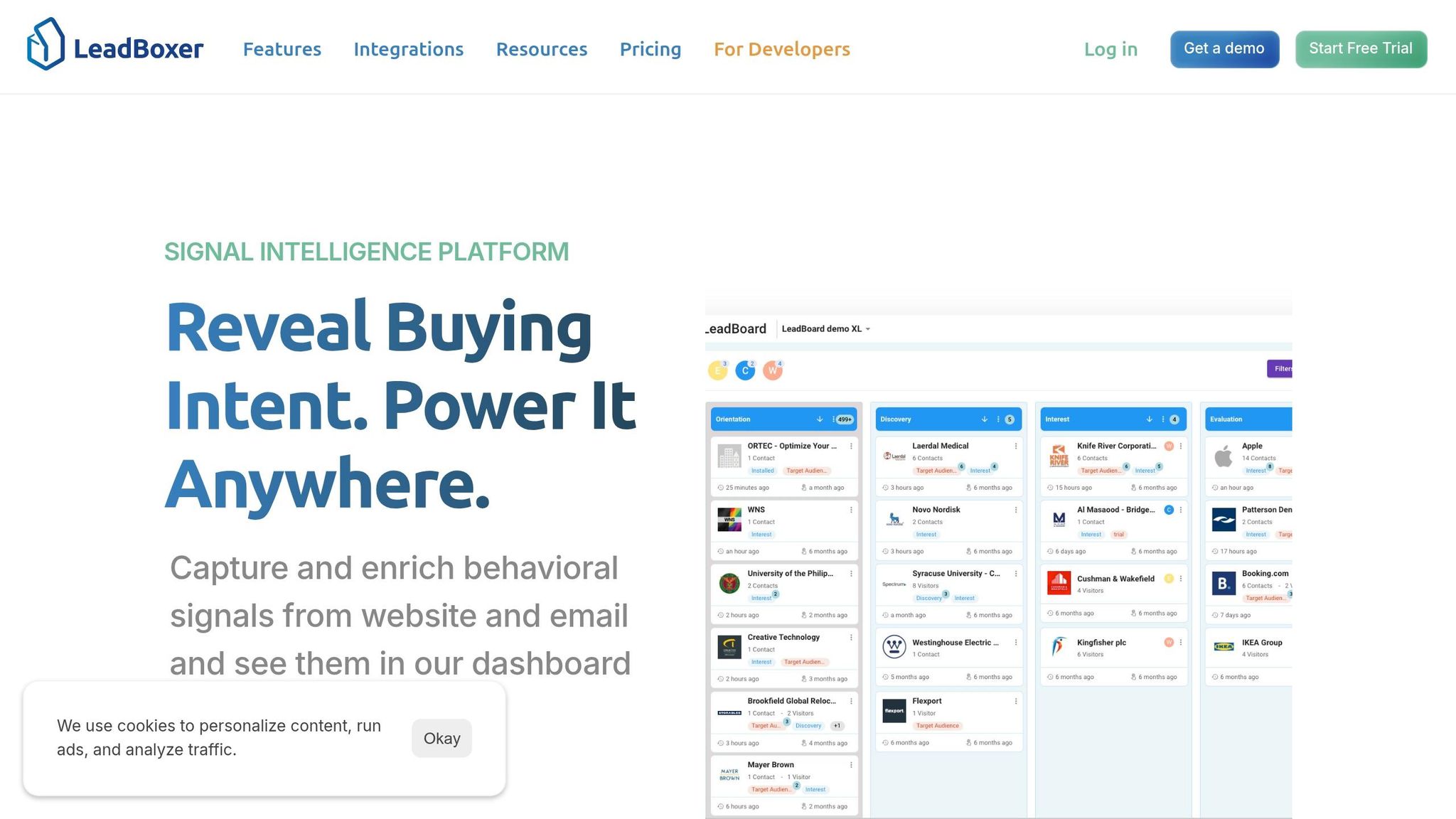
That’s the gap LeadBoxer is built to fill. It turns product and website activity into real-time account signals inside your app, so lead intelligence stays where product teams can use it: in the product itself, not stuck in a marketing dashboard.
LeadBoxer's documentation describes it as an embeddable data layer for tracking and enrichment.
Capture events, identify companies, and enrich accounts in real time
Once the data layer is set up, teams can track the signals that matter most. LeadBoxer follows a simple flow: event capture → company identification → account enrichment → login/form linking → in-app action.
Teams send events like workspace_created or integration_connected along with user IDs, account IDs, and feature names. LeadBoxer then identifies the company behind each interaction and enriches the account with firmographic data such as industry, company size, and revenue range in USD.
When a visitor logs in or submits a form, LeadBoxer links that contact to the right account. From there, product teams can use that context through the API to shape onboarding for larger accounts or trigger a pricing conversation when an account matches your ideal customer profile.
Score intent and segment accounts for product and revenue workflows
Once accounts are identified, LeadBoxer turns behavior into live intent scores. Those scores are based on recency, frequency, depth of engagement, and firmographic fit.
They also feed dynamic segments that update as new events come in. So if you have a segment made up of high-fit accounts that keep returning to buying-intent pages, you can trigger an in-app upgrade prompt and alert sales at the same time, without waiting on a manual review.
Here’s what that can look like in practice:
An anonymous visitor from a large U.S. company visits pricing and security pages more than once
LeadBoxer identifies the account and scores the activity
Your app shows a tailored banner while the account is routed to sales
For a B2B SaaS team, that means fewer missed buying signals and better timing when it’s time to act.
A practical rollout path for SaaS teams
The smartest way to start is small. Focus first on the events most likely to predict activation and purchase intent.
A practical rollout usually looks like this:
Pick a small set of events tied to activation milestones and buying-intent behavior
Check whether the scores line up with the accounts that actually convert
Expand once the signal looks solid
Done well, this creates a product-led motion where the right accounts get routed, personalized experiences fire at the right moment, and expansion signals show up before they go cold.
FAQs
What makes lead tracking product-oriented?
Lead tracking becomes product-oriented when it stops living only in marketing reports and starts feeding the product itself. The point isn't just to count clicks or form fills. It's to turn live user behavior into signals your team can act on inside the app, during the user journey, and across sales handoffs.
That means using behavioral data in real time to tailor in-app experiences, spot high-intent accounts, and support both product and sales workflows.
In most cases, this includes identity resolution, behavioral intelligence, delivery through APIs or SDKs, and automation that sends those signals into workflows instead of letting them sit in dashboards.
Why are account-level signals more useful than form fills?
Only 3% to 4% of B2B site visitors usually fill out a form. That means most of your traffic stays anonymous.
If form fills are your only signal, you’re missing the people who are clearly interested but prefer to research on their own.
That’s where account-level signals come in. They help you identify that 96% by using IP-to-company resolution and behavior tracking to show which companies are visiting your site. You can also see firmographic data and intent scores, which makes it much easier to spot high-intent accounts before they ever convert.
How can product teams use real-time intent data in-app?
Product teams can use real-time intent data inside the app to turn anonymous traffic into personalized experiences and revenue signals they can act on. By adding tracking scripts or APIs, they can identify the companies behind visits and track signals like page views, scroll depth, and feature engagement.
Once that data is enriched with firmographic and technographic details, it can power in-app dashboards, trigger personalized content, send high-fit accounts to sales, and help teams rank visitors with intent scoring.
Related Blog Posts
Build on the LeadBoxer Platform
APIs for tracking, company identification, enrichment and scoring. The first 25,000 credits are free.